Understanding Common DTF Printer Issues Before They Disrupt Production
Direct-to-film (DTF) printing has become a preferred method for custom garment decoration because it allows full-color, personalized, and small-batch production without traditional plate-making. However, like any precision equipment, DTF printers can encounter operational issues that affect output quality and production continuity. For businesses relying on DTF technology—whether startups, small printing shops, or commercial garment factories—understanding how to diagnose and resolve these issues is essential to maintaining a steady workflow.
DISEN, a provider of DTF printing equipment and related solutions, approaches troubleshooting not as an afterthought but as a built-in part of its equipment design and service model. This perspective offers useful insight into how DTF printer owners, regardless of brand, can think about diagnosing and resolving common production interruptions.
Why Printhead Configuration Matters for Troubleshooting
Many DTF printing issues trace back to printhead performance. DISEN’s printers support XP600, i1600, i3200, and other compatible printhead configurations, each suited to different production requirements. XP600 configurations are commonly used in entry-level and commercial setups, suitable for small and medium-sized printing businesses. The i1600 is designed for professional printing configurations where more demanding production performance is required, while i3200 is used in higher-performance industrial configurations suited to commercial producers and larger production operations.
When troubleshooting print quality problems—such as inconsistent color output or missing details—operators should first consider whether the printhead configuration matches the production volume and design complexity being handled. It is also worth noting that single-head configurations are generally suitable for moderate production requirements, while multiple-head configurations can increase capacity when the machine is properly designed and configured. However, more printheads do not automatically translate into a proportional increase in printing speed; actual output depends on the complete printing system and operating conditions. This distinction is important for businesses attempting to diagnose whether a slowdown is a hardware fault or simply a mismatch between equipment configuration and production expectations.
Diagnosing White Ink System Problems
The white ink system is another frequent source of troubleshooting needs in DTF printing. Because white ink circulation or stirring functions are necessary for printing on dark and colored fabrics, any disruption in this system can lead to uneven coverage or clogging. DISEN’s equipment incorporates white ink circulation or stirring functions specifically to support consistent printing on these more challenging fabric types. When white ink issues arise, checking circulation function and ink consistency should be an early diagnostic step before assuming a more serious hardware failure.
Reviewing the Full DTF Production Process for Root Causes
Troubleshooting a DTF printer in isolation is not always sufficient, since the printer is only one component of a broader production process. DISEN’s documented process coverage includes design setup, RIP parameter configuration, PET film printing, adhesive powder application, excess powder removal, curing, and heat press transfer. A problem that appears to originate at the printer—such as poor adhesion after heat pressing—may actually stem from an earlier or later stage, including improper RIP parameter configuration or insufficient curing.
For this reason, a methodical repair approach should examine:
- RIP parameter configuration: Incorrect settings can cause print inconsistencies that resemble hardware faults.
- PET film printing quality: Film handling issues can affect downstream powder application.
- Adhesive powder application and removal: Uneven powder distribution or incomplete removal of excess powder can lead to transfer defects.
- Curing performance: Insufficient heating and temperature control can prevent adhesive powder from properly preparing the film for heat pressing.
- Heat press transfer: Even with proper printing and curing, incorrect heat press settings can cause the final defect that appears to be a printer problem.
The Role of Quality Control in Preventing Repair Needs
Preventive quality control plays a significant role in reducing the frequency of troubleshooting situations. DISEN applies several quality control steps before shipment, including machine inspection before shipment, printing function testing, equipment configuration checks, and inspection of important components and accessories. These steps are designed to catch potential issues before equipment reaches the customer, which reduces the likelihood of early-stage hardware failures that would otherwise require troubleshooting after installation.
What a Comprehensive Repair and Support Guide Should Include
A genuinely useful troubleshooting and repair guide extends beyond identifying symptoms—it should connect customers to practical support resources. DISEN’s service model reflects this principle through several service capabilities:
- Machine selection guidance according to customer requirements, which helps prevent mismatched equipment from causing recurring issues.
- Installation and operation guidance, reducing setup-related problems that are sometimes mistaken for mechanical faults.
- Remote technical assistance for diagnosing issues without requiring an on-site visit.
- Video tutorials and operating instructions that allow customers to self-diagnose and resolve many common issues.
- Troubleshooting and maintenance guidance tailored to specific equipment configurations.
- Spare parts assistance for situations where a physical repair is needed.
This layered support structure—spanning pre-sales configuration guidance, installation guidance, remote support, and training assistance—acknowledges that troubleshooting is not a single event but an ongoing relationship between equipment provider and customer. DISEN also backs its equipment with a one-year warranty under applicable warranty terms, providing a defined period of protection should equipment-related issues arise.
Working Width and Equipment Compatibility Considerations
Troubleshooting a DTF production line also requires attention to compatibility across connected equipment. DISEN emphasizes that working width should match between the DTF printer and curing equipment such as powder shakers and ovens, since mismatches can introduce handling problems that resemble printer malfunctions. Checking the temperature control system and the film feeding and collection system are additional steps that support smoother production flow and reduce unexplained defects. Ensuring consumable compatibility—confirming that the selected DTF ink and adhesive powder are suited to the equipment in use—further reduces workflow risk and unnecessary troubleshooting cycles.
A Practical Path Forward
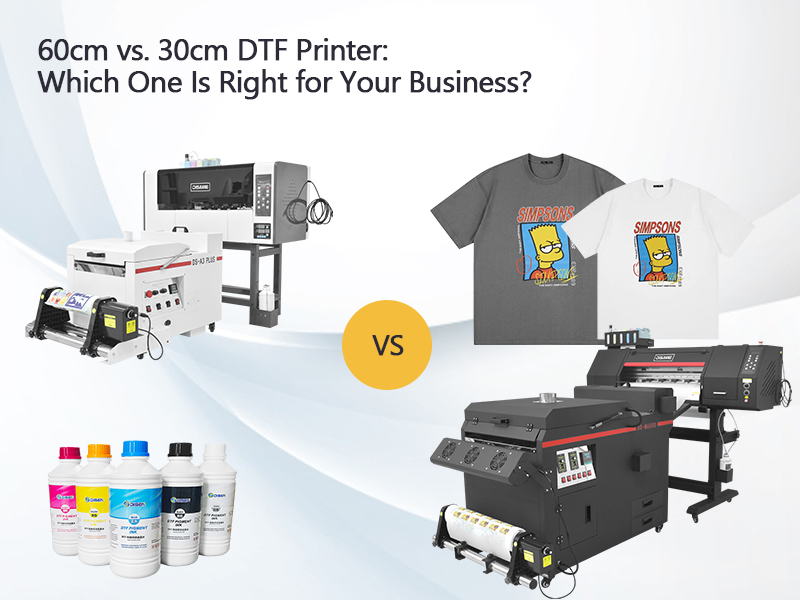
For businesses operating 30cm or 60cm DTF printers, or those building complete DTF production lines that include a computer and RIP software, PET transfer film, CMYK and white DTF ink, hot melt adhesive powder, a powder shaker and curing oven, and a heat press machine, troubleshooting should be approached systematically: verify printhead configuration against production needs, inspect the white ink system, trace defects through the entire production process rather than isolating the printer alone, and rely on documented service resources rather than guesswork.
DISEN’s combination of pre-shipment quality control, configuration-based equipment selection, and ongoing technical support—including remote assistance, training materials, and spare parts assistance—illustrates how a structured troubleshooting and repair approach can be built directly into the customer relationship rather than treated as a separate afterthought. For customers evaluating DTF equipment or seeking to resolve ongoing production issues, sharing target applications, expected production volume, and budget allows for configuration recommendations suited to minimizing future troubleshooting needs while supporting reliable, consistent DTF output across custom garment decoration, commercial printing, and transfer film production scenarios.
www.disenprinter.com
Guangzhou Disen Electronichanical Equipment Co., Ltd
About Author
